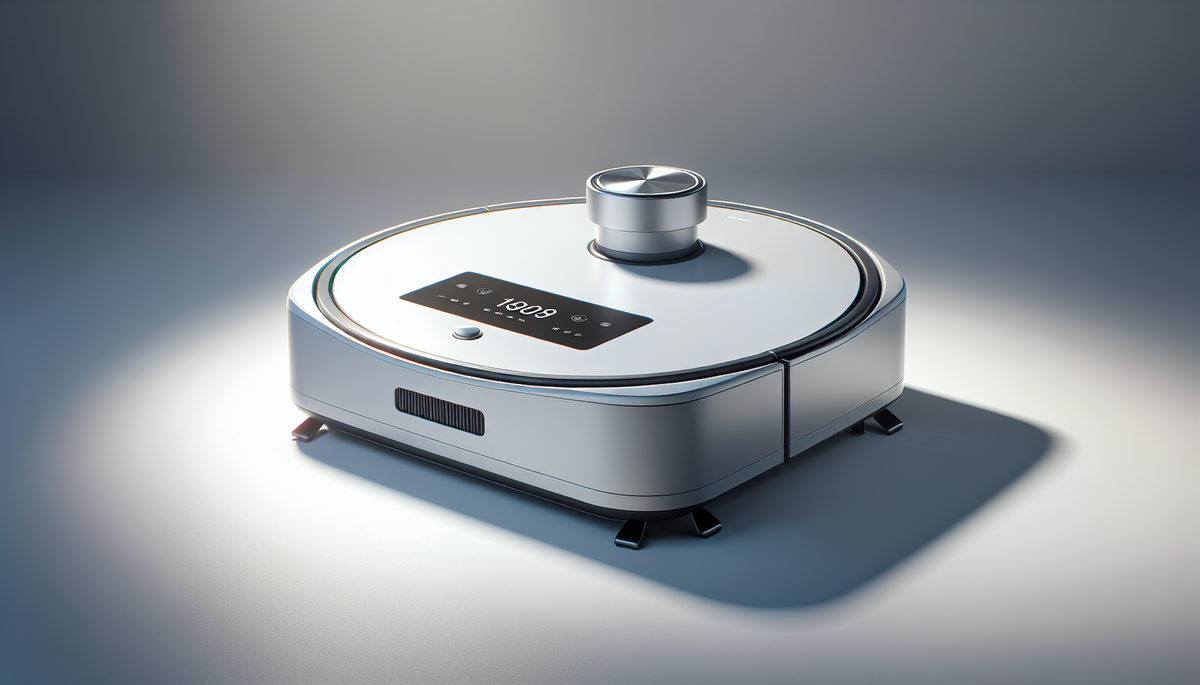
🎨 AI-generated illustration (EU AI Act 2026) — does not represent the actual appearance of the product. See the Amazon listing for official photos.
🔗 Affiliate links : Some links on this page are Amazon affiliate links. As an Amazon Associate, we earn from qualifying purchases.
Get our best picks
Every week, our Amazon comparisons directly in your inbox.
No spam. Unsubscribe in 1 click.
Introduction
If you’ve bought a robot vacuum, you’ve probably already noticed one thing: it’s great at keeping floors looking tidy… right up until it bumps into the same obstacle for the tenth time. The good news is that a few small tweaks can make a massive difference. With the right settings, a bit of sensible prep, and a routine that fits your home, your robot can do a far better job of covering the space properly and picking up more of what you actually care about.
Here are seven practical tips—nothing overly technical, just the sort of guidance you’d get from a mate who’s helped you set it up properly.
Critères de choix
- Floor mapping and navigation: Look for models that can map your home and clean in organised patterns (rather than random zig-zagging). This usually means fewer missed patches.
- Suction power and brush type: If you’ve got carpets, pets, or a house full of crumbs, choose a vacuum with strong suction and a brush setup that handles your mess type (tangles-proof brushes are a bonus).
- Battery and coverage: Check the effective runtime and whether it can return to the dock and continue. A bigger battery helps avoid half-finished rooms.
- Dustbin capacity and filter quality: A larger bin means fewer trips to empty it. A decent filter helps if you’re sensitive to dust.
- Controls and scheduling: App control, scheduling, and room-specific cleaning are genuinely useful. You want to be able to clean when it suits you, not just when the mood strikes.
- Obstacle handling: Features like drop sensors, obstacle detection, and cliff detection matter more than you’d think—especially around thresholds and stairs.
- Mop capability (if relevant): If your model includes mopping, consider whether it has adjustable water flow and whether it’s designed for your floor type (hard floors, not thick carpets).
Avantages
When you optimise your robot vacuum properly, the benefits are obvious. You get more consistent cleaning, fewer “why didn’t it pick that up?” moments, and less day-to-day hassle. It can also help reduce allergens by keeping dust from settling—especially if you run it regularly on a schedule.
And the best part? You don’t have to babysit it. Once it’s set up to suit your home—layout, floor types, and common obstacles—it tends to do the job with far less drama than you’d expect.
7 Tips for Optimizing the Use of Your Robot Vacuum
1) Do a quick “first run” with obstacles in mind
Before you expect perfect coverage, let it learn the space. Pick a time when you can watch for a few minutes. If it keeps getting stuck under low furniture or tangled in cables, you’ll spot the issue immediately and save yourself frustration later.
2) Optimise your floor plan for better navigation
Robot vacuums work best when they can clearly understand where they are. If you’ve got lots of dark rugs, highly reflective surfaces, or dense clutter, consider removing or reducing those factors. Even moving a chair slightly or tidying stray shoes and bags can help it map more accurately.
3) Use “no-go” zones and virtual boundaries
Most models let you set restricted areas. Use that feature for things like:
- pet bowls and water stations
- areas with fragile items
- very thin rugs that curl up
It’s one of the simplest ways to stop the robot from doing unnecessary loops or getting into trouble.
4) Choose the right cleaning mode (and don’t overdo it)
If you always run “max” mode, you’ll chew through battery faster than you need to. For everyday maintenance, a standard or eco mode can be plenty. Save the strongest setting for areas with heavier dirt—like hallways, kitchens, or where your pets spend most of their time.
5) Keep brushes and filters clean—this is the big one
A robot vacuum is only as good as what’s inside it. If the brush is clogged with hair, or the filter is blocked, performance drops quickly. Try to:
- empty the dustbin after each full clean (or sooner if it’s busy)
- check the main brush and side brushes regularly
- tap out the filter gently and replace it when needed
A quick tidy every week or two can keep suction strong and improve pickup.
6) Empty and reposition the dock properly
Your dock is more important than it seems. Place it on a flat surface with a clear path around it. If the dock is tucked behind a sofa or blocked by clutter, the robot may struggle to dock and recharge, which can interrupt cleaning mid-job.
7) Stick to a sensible schedule
Robots love consistency. Instead of waiting until the floors look like they’ve seen a week-long storm, run it more regularly. Many people find that shorter, frequent cleans work better than one long session. For example, a few times a week on hard floors, and slightly more often in carpeted areas or homes with pets.
FAQ
Q? How often should I empty the robot vacuum?
Ideally after each cleaning session if you’ve got pets or lots of debris. For lighter homes, you can often stretch it a bit, but don’t let it get so full that airflow drops.
Q? Why does my robot miss the same spots?
Usually it’s down to obstacles, tangled cables, low furniture, or a pattern it can’t navigate well. Check for tricky areas and use “no-go” zones or boundary markers where needed.
Q? Do I need to clean the brushes even if it’s “automatic”?
Yes. Hair and fibres build up over time, even if the robot is doing the cleaning for you. A quick brush check and filter clean keeps suction and pickup strong.
Conclusion
Optimising your robot vacuum isn’t about getting fancy settings—it’s about making it work with your home. Once you’ve chosen a model that suits your floors, mapped or guided it properly, kept the brushes and filters in good shape, and used sensible boundaries and schedules, you’ll get much better coverage with far less hassle.
Give it a little setup time, and you’ll soon notice the difference: cleaner floors, fewer missed bits, and a robot that feels like it’s actually on your side.